Product Design · 2021 to 2024
Fabriclean
From storefront to app. Digitizing a 20,000-customer laundry service without breaking it.
Role
Sole Product Designer
Company
Fabriclean / Favone Laundromat
Timeline
28 months (Nov 2021 to Mar 2024)
Platforms
iOS · Android · Web
Context
Four storefronts, 20,000 customers, zero digital infrastructure
In 2021, Fabriclean operated four laundry storefronts in Trivandrum serving roughly 20,000 customers. Its digital presence was fragmented across Google listings and third-party aggregators. There was no unified brand surface or booking system.
Leadership wanted to consolidate the service into a single digital product that could strengthen the brand, unify the customer experience, and make the business scalable beyond Kerala. That ambition was validated mid-2022 when a Middle East investor came on board, and what had been a Kerala-focused build had to expand to serve a new market with different expectations.
Throughout, the physical service kept running. 20,000 customers and 50+ staff depended on daily operations continuing smoothly while the digital system was built alongside them. The rollout had to be additive, never disruptive.
The problem
A consumer app that couldn't exist without the whole chain
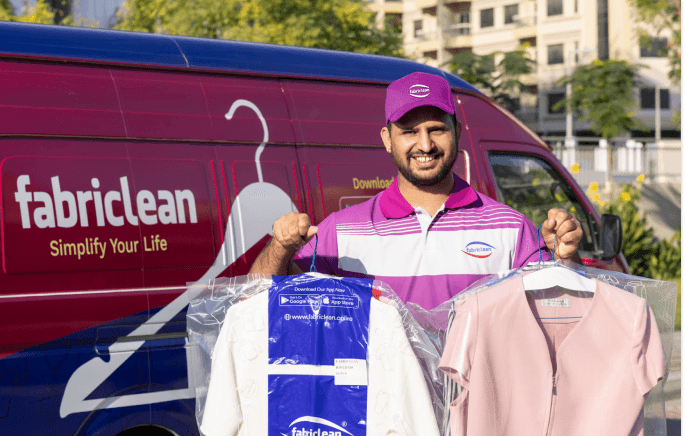
The brief was to build a consumer app that would attract new customers while migrating existing storefront customers to digital. But the real problem was larger: a consumer-facing app couldn't work in isolation. It had to connect to a delivery executive app for pickups, and a factory app for garment processing. Designing one meant designing the whole chain.
This wasn't a clean-slate digital product. The design had to be forward-looking enough to support future scale, while staying faithful to workflows the staff already knew. This was also my first product design project. I was transitioning from graphic design into interaction and product design alongside the work itself.

Constraints
Three rules that shaped every decision
Staff first
The design had to fit existing staff workflows. Retraining 50+ people from scratch wasn't a cost the business could absorb. Trust with staff mattered as much as trust with customers.
No service disruption
The 20,000 existing customers had to keep receiving uninterrupted service. Testing and research happened in localized modules tied to individual storefronts so problems surfaced in small, containable environments.
Learn in production
Without the team or time for months of upfront research, the strategy was to ship to a small surface, watch what broke, and iterate weekly. Proximity to operators became the research substrate.
About the case study stories
Before Move forward
The three stories in this case study follow a specific format: a signal from the live product, a design decision in response, and wherever relevant, the downstream consequences of that decision across the rest of the system.
One thing worth clarifying before reading them: every design shown here, including the versions being replaced, was made by me. There was no prior designer on this product. The V1 flows, the original Special Instructions screen, the buried Laundry Reminder — I made all of those first. What follows is the account of how I redesigned my own work, and why.
This also means that every version of every screen shown in the images is mine. The format is not a story of fixing someone else's mistakes. It is a story of iteration: the original decision, the evidence that changed my thinking, and the redesign. The images include both the original and the redesign, which is why each story shows more than one version of the same screen.
The most honest account of design growth isn't comparing your work to someone else's baseline. It's showing your own V1 next to your V2 and being clear about what changed and why.
Story 1
The order flow, and the ecosystem ripple
The signal
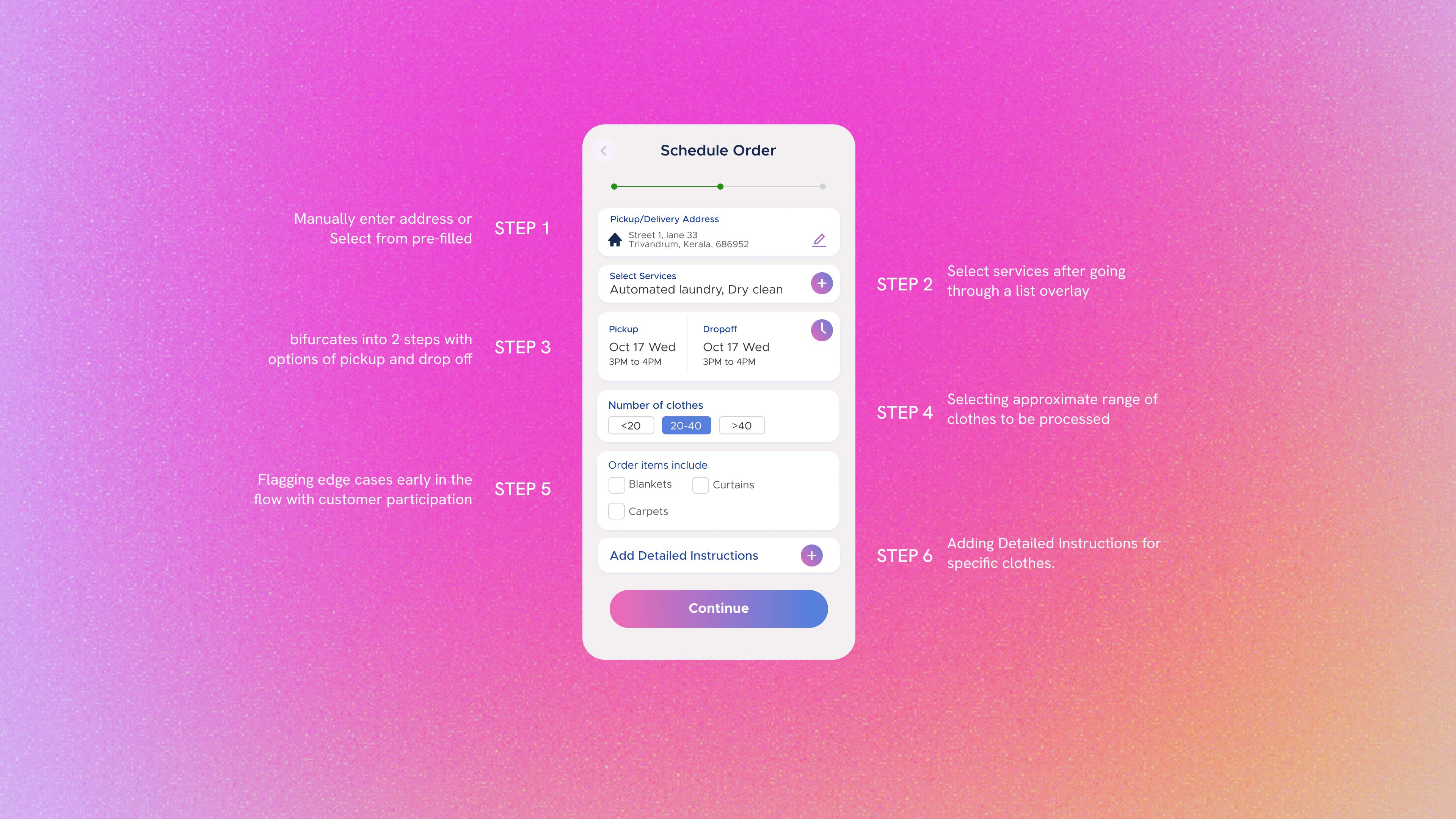
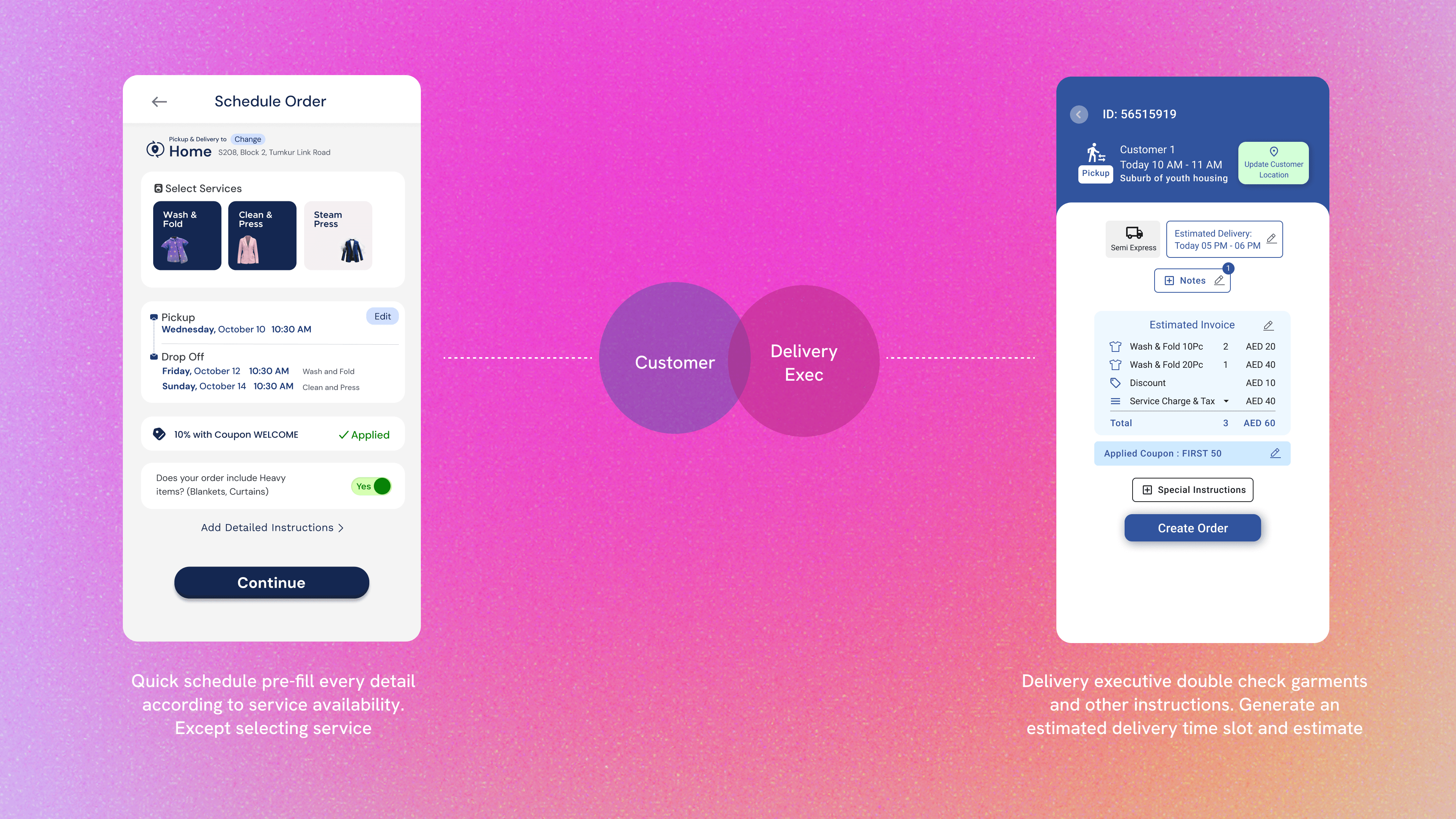
The first version had users specify service type, schedule, special instructions, and garment types before placing the order. Within three weeks of the Middle East launch, the Operations Lead flagged a pattern: recurring customers were frustrated by the length of the flow. They were ordering the same bundle of clothes repeatedly, having to re-enter identical details each time.
The decision
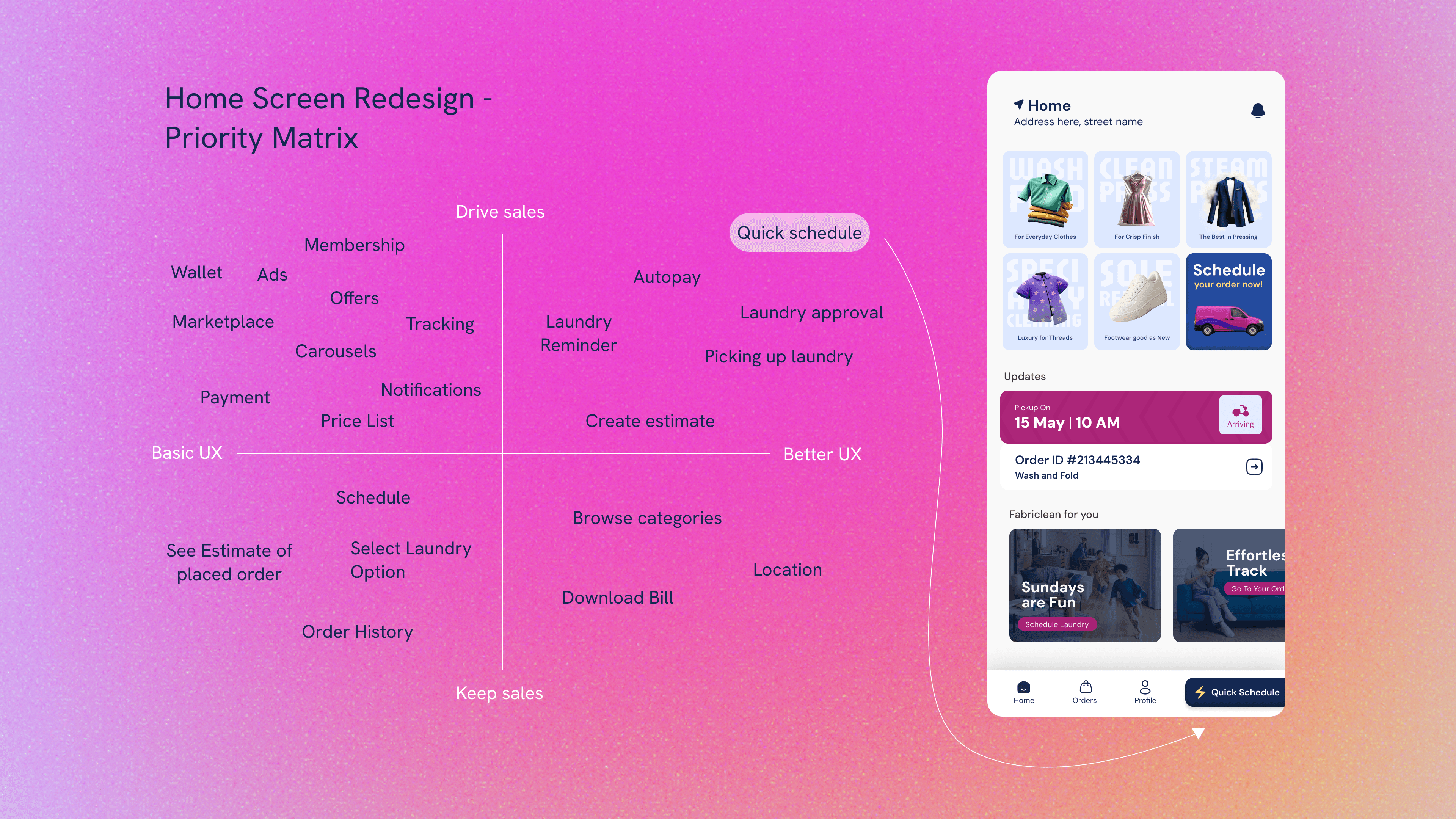
I used a 2x2 priority matrix (Customer UX benefit vs. Sales driver) to decide what deserved home screen prominence. Quick Schedule landed firmly in the top-right quadrant. The minimum click count dropped from six to three, without removing any options from the existing flow.
I didn't replace V1. I ran both flows in parallel. Power users still had full control through the detailed flow. Recurring users had a faster path. No one was forced to migrate.
The ripple
Before Quick Schedule shipped, one of the backend engineers flagged a concern: if users skipped the detailed entry, the factory would receive less information per order. The fix belonged somewhere else entirely. I designed a new step into the Delivery Executive app where the delivery executive inspects garments with the customer present at pickup.
A garment sent to the factory and sent back signals inability to serve. Inspecting it at pickup signals attention.
When you remove friction from one part of a system, information gets lost somewhere. The right response isn't to add friction back. It's to pick up that information elsewhere, at a touchpoint where it can be reframed as a user benefit.
Story 2
Laundry Reminders, and the line I drew
The original decision
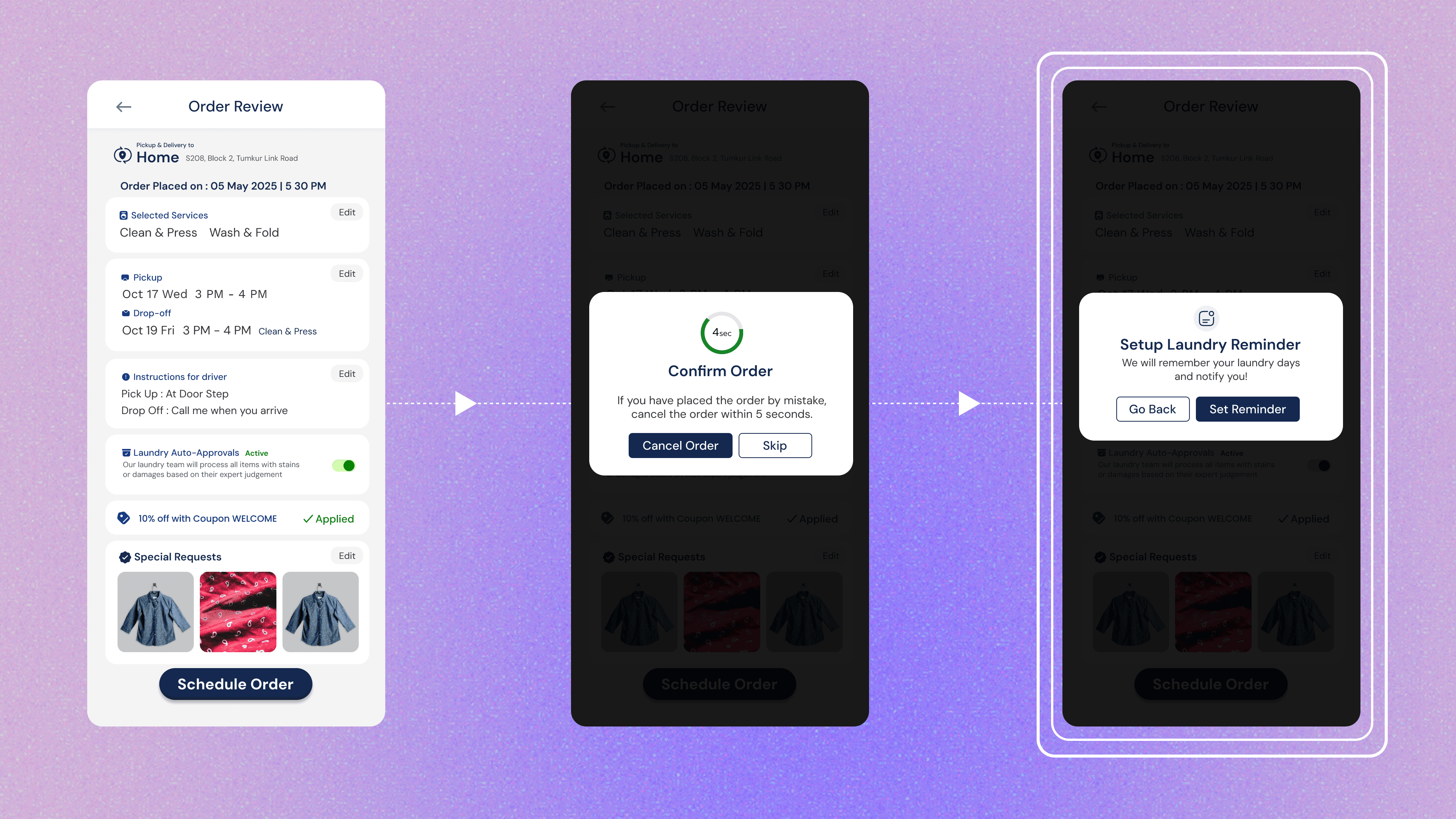
In the first version, Laundry Reminder lived inside Profile Settings. Quietly placed, easily ignored. That was intentional. When someone comes to a new service and places one order, asking for more in that moment (before you've earned it) feels like pitching instead of serving.
The reframe
About a year in, the Operations Lead flagged that recurring customers were the backbone of the business. Keeping Laundry Reminder buried in Profile Settings was no longer just respect for user attention. It was also a missed touchpoint. I added a Reminder prompt immediately after order completion. The user had just finished a successful transaction. I wasn't asking them to commit to a service they hadn't tried. I was asking if they'd like to be reminded next time.
The line I didn't cross
The version I deliberately didn't build: "Enable auto-ordering, cancel anytime before the schedule." That phrasing shifts the burden of choice onto the user. They now have to undo something to avoid the order.
Choices should come with information, not pressure.
Story 3
The USP I had to de-emphasize
The feature I overbuilt
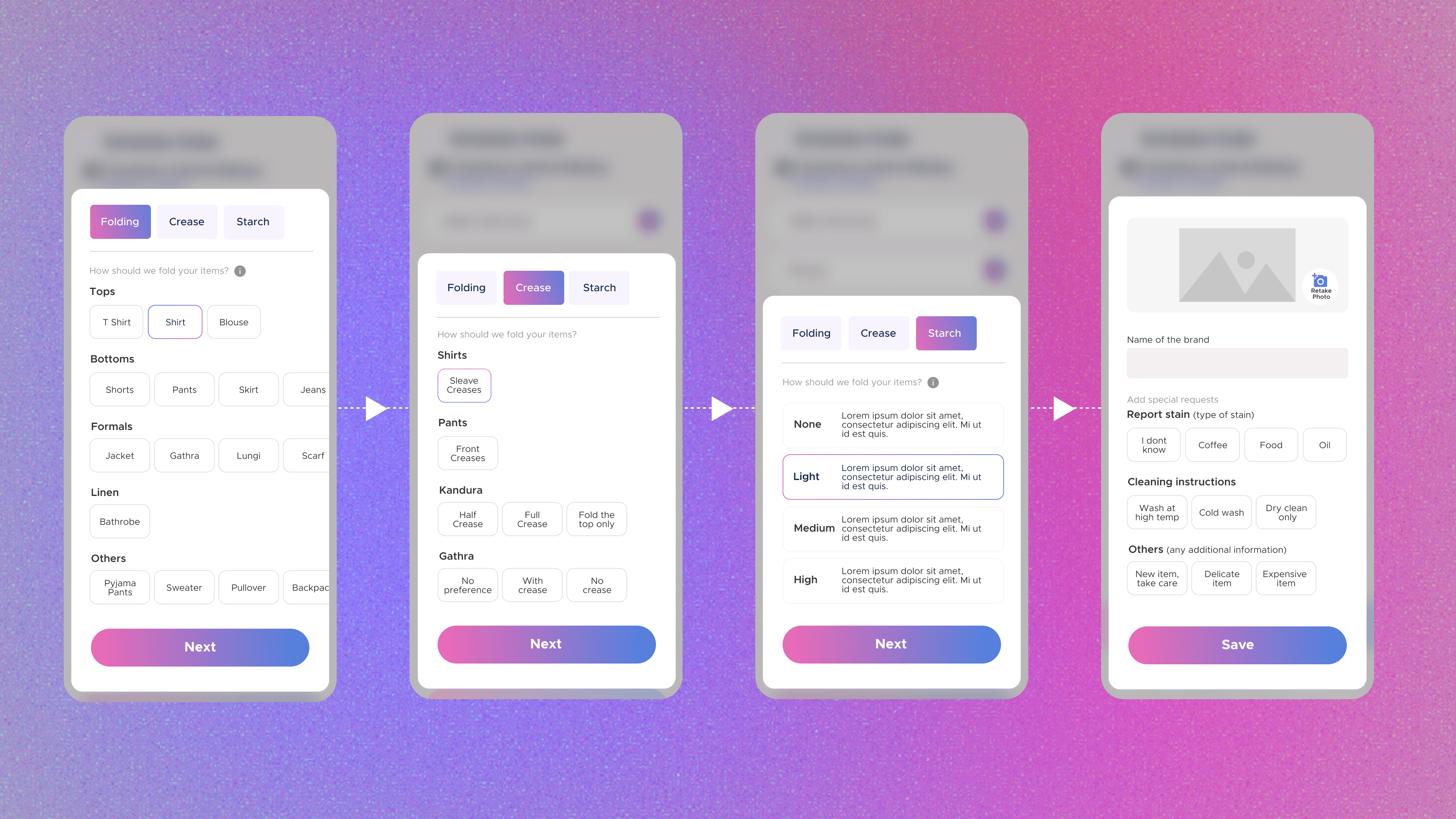
Special Instructions was meant to be Fabriclean's differentiator. I designed flows for specialty materials, treatment preferences, stain reporting, and flagging expensive garments. In the order creation flow, it was given visual prominence on par with the other key options.
Two signals
User testing surfaced frustration. The volume of options made users feel like they had to pay attention to things that didn't apply to their order. Engineering flagged significant unproductive time on the Special Instructions screen in telemetry. At the same time, the feature was genuinely working for the users who needed it.
The fix
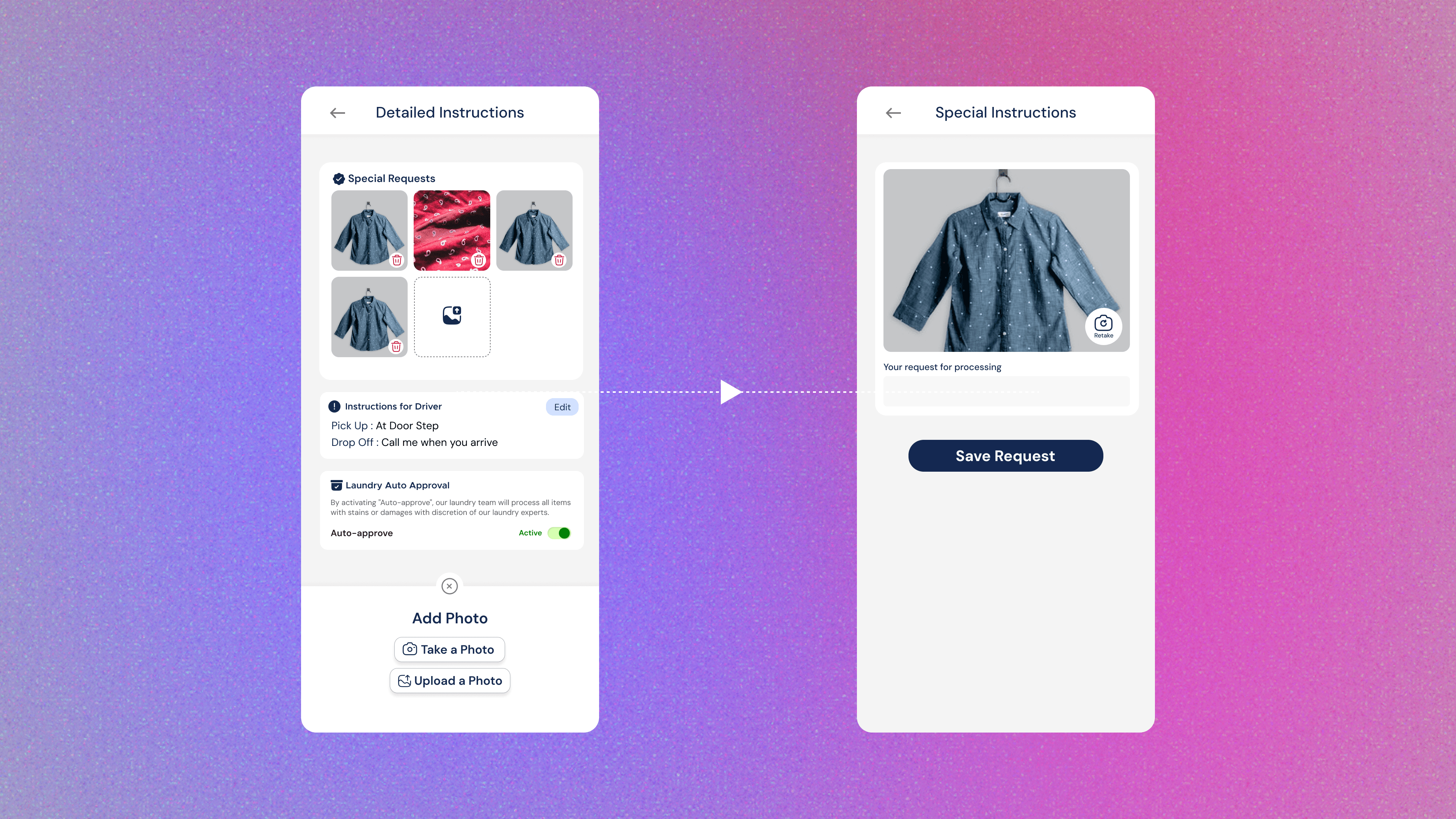
The fix wasn't to remove Special Instructions. It was to make it findable for users who needed it, and invisible for users who didn't. It moved to the end of the flow and was demoted visually. The flow started with a photo of the garment, with options surfacing contextually after. The design was meant to survive its own obsolescence.
Even the biggest feature in a product might be wrong for a regular user. A well-designed feature has to find the user as much as the user finds it.
Outcomes
What shipped, and what it did
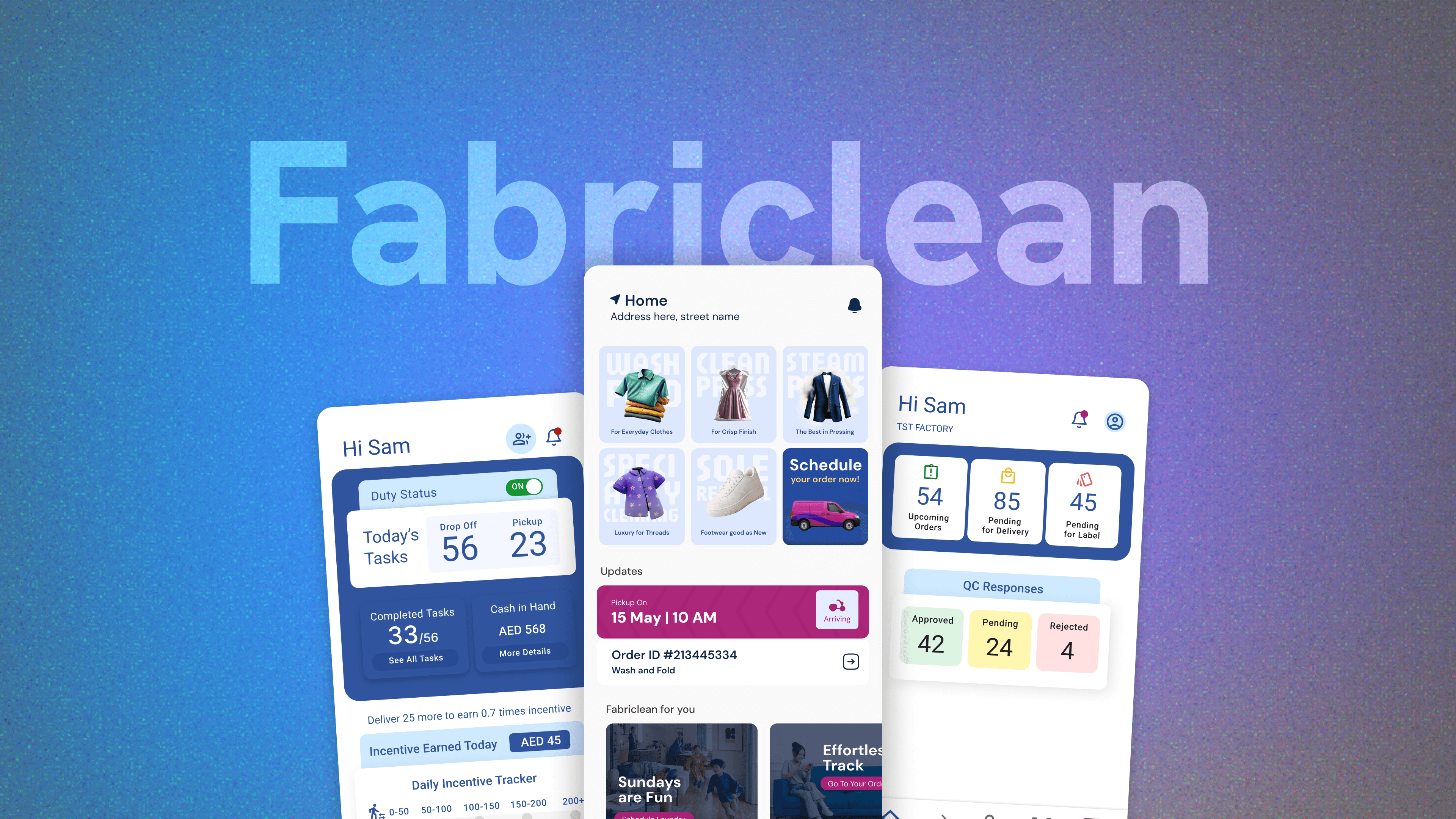
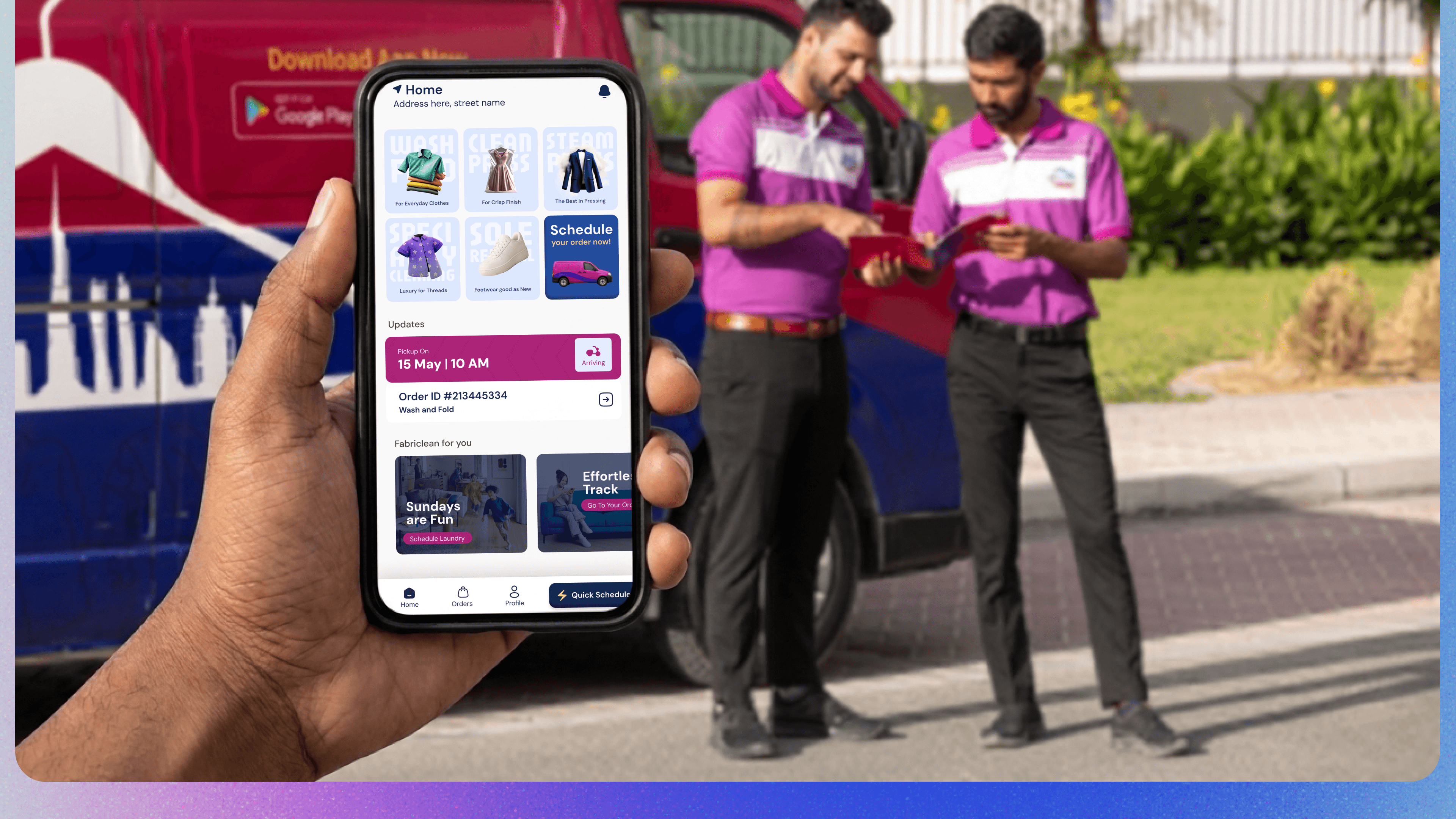
I shipped three connected apps (Customer, Delivery Executive, and Factory Operations) along with the customer-facing website. Each surface went through a significant redesign after mid-2023, based on what the live product was teaching.
Over successive versions, the boundaries between the apps dissolved. Features that started in one app surfaced in others where they made more sense. The system began behaving like one product split across three interfaces, rather than three products with overlapping data.
Reflection
What I'm carrying forward
What worked
Designing lean in production: using the current design as the shared artifact between designer, operator, and customer, letting each iteration update that artifact rather than waiting for a finished version. And modular feature design, building each feature as a unit that could move across apps.
What I'd do differently
I'd do on-field research with customers, not just internal stakeholders, before designing the first screen. A lot of what I learned post-launch could have surfaced earlier. I lean on internal stakeholders too quickly because they're accessible. It made my briefs better at reflecting the business, and slower at reflecting the user.
What I'm carrying forward
What breaks downstream when I simplify upstream, and what breaks upstream when I simplify downstream? That question is muscle memory now. Knowing the whole system isn't a burden for a designer. It's the thing that makes the design defensible.
Postscript
See the work in the world
Fabriclean is live. The consumer app, the delivery executive app, and the factory operations system are all in active use. If you want to see the product rather than read about it, both the website and the app listing are publicly accessible.